
HTML — I’ve lost count of how many times I’ve typed that word in my life. If you’ve ever opened a browser (which I’m guessing you have, since you’re reading this 😉), then you’ve been seeing HTML at work. But here’s the thing: most people only think of HTML as some basic website skeleton. Truth is, it has gone through massive transformations over the years.
And in this post, I’m not just going to dump theory at you. I’ll walk you through advanced HTML concepts, share how I personally struggled with <table> layouts back in college, and explain why new versions of HTML made my life so much easier.
👉 Quick answer (search intent first):
If you’re here to quickly know what advanced HTML and versions are: HTML has evolved from HTML 2.0 to HTML5 (and now HTML Living Standard), each version adding new features like forms, multimedia support, and semantic tags that make websites faster, smarter, and more user-friendly.
But if you’re like me and love diving deeper, stick around. We’ll go layer by layer.
What is HTML (and why should you still care)?
I like to think of HTML as the language of the web’s bones. CSS dresses it up, JavaScript makes it talk, but HTML? That’s the skeleton. Without it, you literally have nothing.
When I built my first website (a messy blog about gaming cheats back in 2012 😅), it was pure HTML. No CSS, no JS. Just <h1>Cheat Codes</h1> and <p>Type this for infinite ammo.</p>. Was it ugly? Absolutely. But it worked, and that’s the beauty of HTML — it just works.
📜 The Journey of HTML Versions
Here’s where things get fun. HTML didn’t just pop out perfect. It evolved.
-
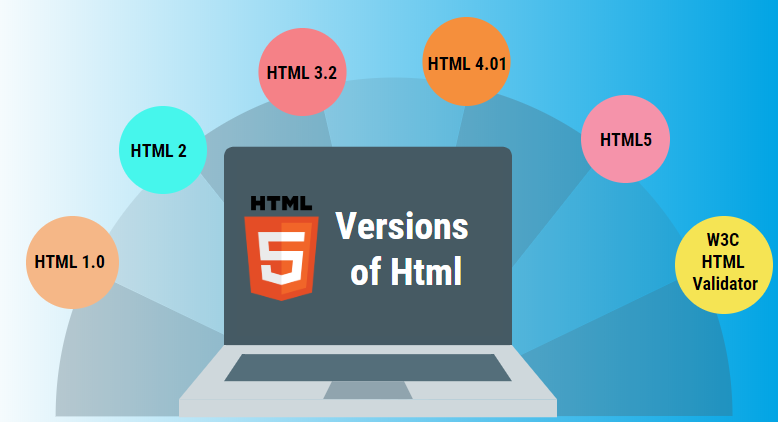
HTML 2.0 (1995): The OG. Simple stuff like forms and basic tags.
-
HTML 3.2 (1997): Tables, applets, scripting. (This is when people started going crazy with layouts.)
-
HTML 4.01 (1999): Frames, style sheets, more control. But honestly? It was still clunky.
-
XHTML (2000s): Stricter version, made us write “cleaner” code.
-
HTML5 (2014): Game changer.
<audio>,<video>,<canvas>, semantic tags like<article>,<section>. Basically, it said: “Hey devs, stop abusing tables for layouts!” -
HTML Living Standard (Now): Instead of releasing “HTML6” or “7”, W3C/WHATWG keep updating HTML continuously. So technically, HTML is always improving right now.
👉 Fun fact: W3C and WHATWG are the bodies that keep HTML alive.
🎯 Advanced HTML Concepts You’ll Actually Use
When people say “advanced HTML,” I roll my eyes a bit. Because let’s be honest: there’s no rocket science here. It’s about using HTML smartly, not just sticking with <div> and <p>.
Here are some gems I use almost daily:
-
Semantic HTML 🧩
Tags like<article>,<aside>,<header>,<footer>. They make your code readable and help SEO. Google loves it. -
Forms 2.0 ✍️
In HTML5, forms got superpowers. Input types likeemail,number,datesave you from writing long validation scripts. -
Multimedia tags 🎬
<video>and<audio>changed the game. I still remember embedding YouTube videos with ugly<iframe>hacks. Never again. -
Canvas & SVG 🎨
If you’re into graphics or game dev,<canvas>lets you draw stuff directly in the browser. I once built a mini doodle pad for fun using this. -
Accessibility attributes ♿
Tags likearia-label, proper heading hierarchy. Because the web isn’t just for us, it’s for everyone.
🔥 Real-Life Example: HTML Saving My Time
A while back, I was freelancing for a startup that wanted a lightweight landing page — no frameworks, no bloat. Just fast.
I built it in pure HTML5 + CSS3. Used semantic tags for structure, <video> for background loops, and <form> with validation attributes. Guess what?
-
It loaded in under 1 second.
-
Google indexed it like a charm.
-
Client was shocked I didn’t use React or WordPress.
Sometimes, simple HTML is your best friend.
✅ Why HTML Still Rocks in 2025
You might wonder, “Why should I even care about HTML when everyone’s talking about AI, Web3, and fancy frameworks?”
Here’s why:
-
Frameworks change. HTML doesn’t.
-
Every React, Vue, Angular component ultimately renders HTML.
-
Understanding HTML deeply makes you a better dev. Period.
Even now, when I see juniors struggle with broken layouts, it’s usually because they didn’t respect HTML structure.
💡 Key Takeaways
-
HTML is the backbone of the web.
-
From HTML 2.0 → HTML5 → Living Standard, it has continuously evolved.
-
Advanced HTML isn’t rocket science — it’s about semantic tags, multimedia, accessibility, and smart use of forms.
-
No matter how much tech changes, HTML remains a must-know skill.
Final Thoughts ❤️
When I look back, HTML feels like an old friend. It was there when I built my first ugly blog, it was there when I coded my first client project, and it’s still there when I open VS Code today.
So if you’re diving into advanced HTML & versions, remember this: you don’t need to memorize every tag. Just understand the flow. Play around. Break stuff. That’s how I learned, and honestly, it’s the most fun way.
And who knows? That one <div> you write today might be the start of your next big project. 🚀
More Reads:
-
Vibe Coding with Java – The Future of AI-Driven Development 🚀
-
7 Mind-Blowing Truths About the Future of Artificial Intelligence